VoiceDebrief iOS / guides / sgit-share
SGit Vaults: share a vault, and create one on the server
Sharing gives somebody the vault's key. Whoever holds it can read everything in the vault, including its history, and it cannot be taken back: give it to people, not to places.
Every guide · Ideas and where they stand
1. Share.
Sharing gives someone the vault's key. Read the warning first: whoever holds the key can read everything in the vault, and it cannot be taken back.
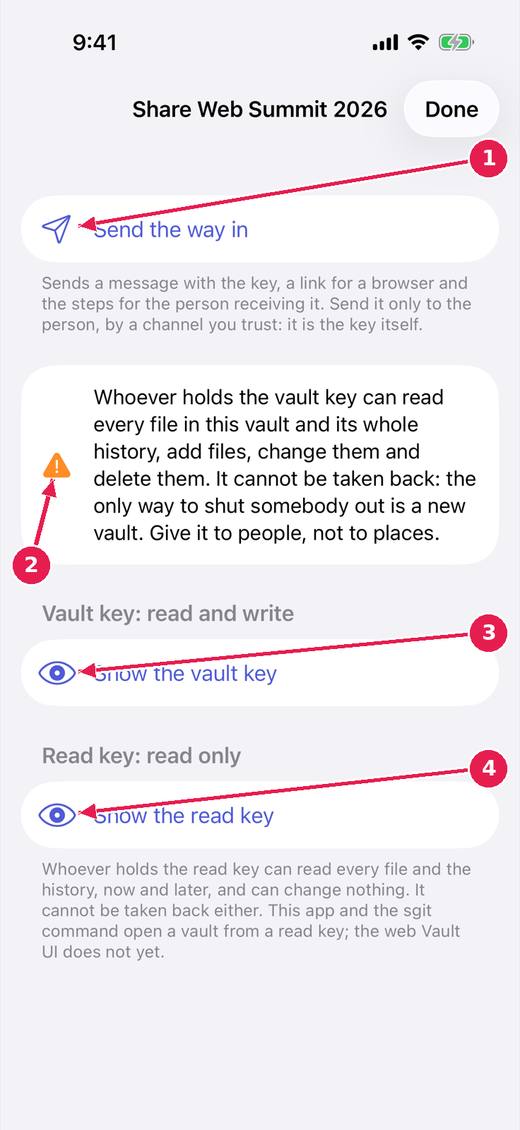
- Send the way in: a message with the key, a link for a browser and the steps for the person receiving it. Send it only by a channel you trust.
- What a key can do, said before you see it.
- The vault key: read and write.
- The read key: read only.
2. Create a vault.
A new vault is made on this device. Turn on Share it to put it on the server straight away; leave it off to keep it here until you choose to share.
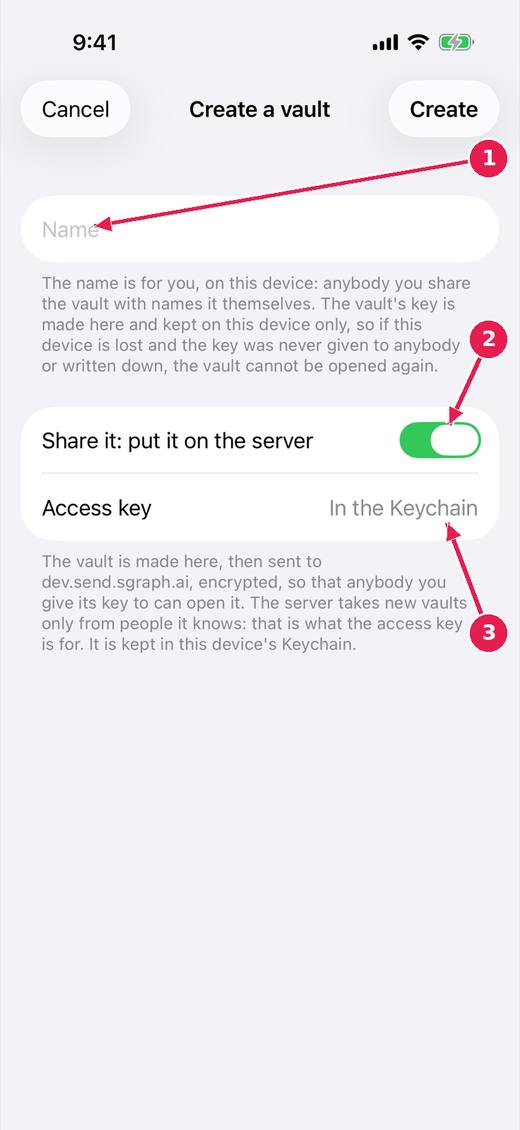
- A name, for you. The key is made here and kept on this device only.
- Share it: put it on the server at once. Off, it stays on this device until you share it.
- The access key the server needs to take a new vault, kept in the Keychain.
Where this stands
- sgit app: sharing, for someone who was never told what a key is: In progress. Open, and named by the release notes of v0.1.44.
- sgit app: the Create sheet, the four keys, and smaller things: In progress. Open, and named by the release notes of v0.1.44.
- A read-only share that can be taken back: Parked. The issue's status: "Status: open. A question for the owner."
Pictures: SGit Vaults: iPhone, light, from sgit-app-screens.yml run 43606971217 on work/sherpa at 0f2e6f8 (the same tree as dev, 14 November 2026), after the design session's restyle.