VoiceDebrief iOS / guides / sgit-vault
SGit Vaults: inside a vault, and its history
A vault holds folders and files, like a folder on a computer, with every change kept as a signed commit.
Every guide · Ideas and where they stand
1. A vault.
A vault looks like a folder on a computer. The line at the top tells you whether everything in it has reached the server, which matters before you tell a teammate it is there.
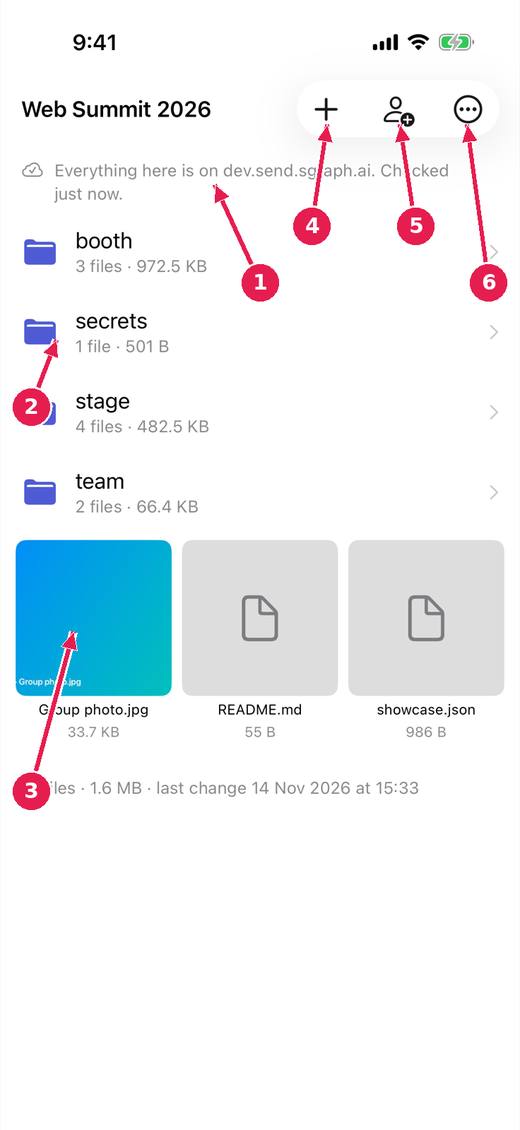
- Whether everything is on the server, on this device only, or on its way in.
- Folders, with how many files and how large.
- Files: a picture shows a thumbnail. Tap one to open it, save it or share it.
- Add photos, videos or files.
- Share the vault with somebody.
- More: history, saving a folder out, and the rest.
2. History.
Every change to a vault is kept as a signed commit, so you can see who added what and when, and that nobody has altered it since.
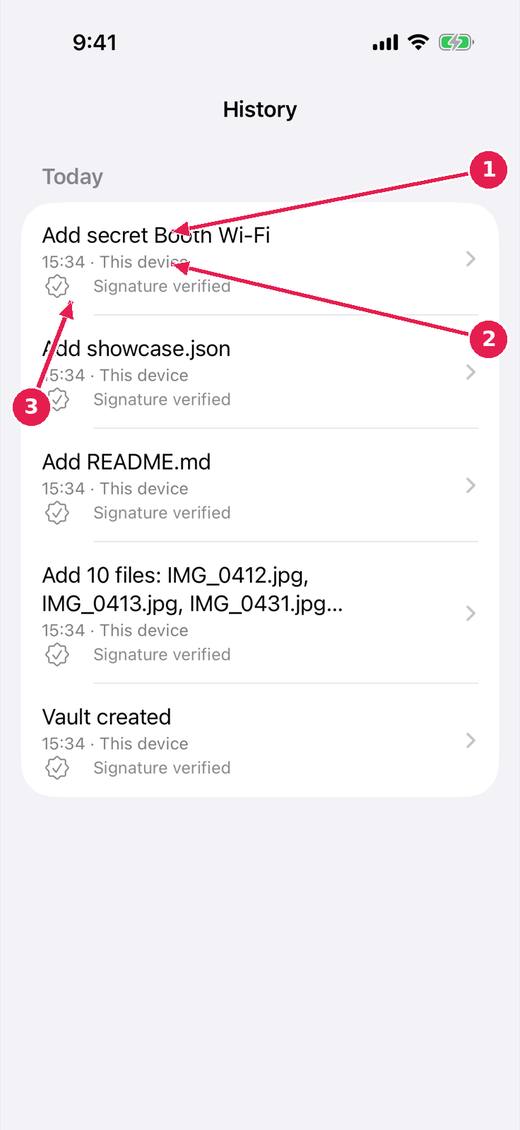
- Each change, newest first, grouped by day.
- Who made it: this device, or another.
- Each change is signed, and the signature is checked.
Where this stands
- sgit app: say whether a file has arrived: In progress. Open, and named by the release notes of v0.1.44.
- sgit app: who added it: In progress. Open, and named by the release notes of v0.1.44.
- sgit app: getting a folder out, at full quality: In progress. Open, and named by the release notes of v0.1.44.
Pictures: SGit Vaults: iPhone, light, from sgit-app-screens.yml run 43606971217 on work/sherpa at 0f2e6f8 (the same tree as dev, 14 November 2026), after the design session's restyle.